UI Craft Pro
OpenClaw-native · Reference-driven · Anti-generic by design

Make product UI feel intentional — not AI-generic.

UI Craft Pro helps OpenClaw agents move from vague design direction to real implementation choices, while borrowing the right logic from strong public systems like GitHub, Vercel, Shopify, Stripe, Raycast, or Perplexity without copying them blindly.

Design-system generation Product-aware direction, tokens, spacing, hierarchy, and implementation framing.
Style signatures Compact “X-like but mine” briefs for GitHub-like, Vercel-like, Stripe-like, Perplexity-like, and more.
Pattern shells Reusable structures for dashboards, docs, launch pages, auth flows, settings, and AI answer products.
Anti-generic review Find the gradient spam, fake premium, weak hierarchy, and surface-level cloning before shipping.
python3 skills/ui-craft-pro/scripts/style_signature.py \
  "developer docs premium monochrome"

python3 skills/ui-craft-pro/scripts/search.py \
  "ai answer prompt sources" --domain patterns-shells

python3 skills/ui-craft-pro/scripts/search.py \
  "too many gradients fake premium" --domain anti-generic-ui
Positioning

Built for real product work

Not a moodboard dump. Not a random collection of nice colors. This skill is for agents that need to choose a direction, lock the logic, implement coherently, and review with taste.

Docs and developer-product surfaces
Admin tools and workflow-heavy dashboards
AI answer/search experiences
Launch pages, onboarding, and settings flows

Why this now

Most AI UI work fails the same way: it picks a vibe, loses the rhythm, mixes unrelated component families, and ships before checking whether the final result still feels like the product.

4taste-building layers: design systems, style signatures, pattern shells, anti-generic review
6reference families covered: developer, enterprise, command, knowledge, creative, universal foundations
10+named style directions such as GitHub-like, Vercel-like, Stripe-like, Raycast-like, and Perplexity-like
1core promise: turn rough intent into a coherent implementation path instead of generic pretty screens

The new reference layer

The project now teaches stronger visual judgment by studying systems, extracting signatures, choosing shells, and warning against generic failure modes.

design-systems

Study the right product family first

Compare GitHub/Primer, Vercel/Geist, Polaris, USWDS, Atlassian, Carbon, Ant Design, Fluent, and others by vibe, token DNA, spacing rhythm, and component logic.

Choose references that fit the product reality
Borrow structure, not brand cosplay
Match systems by workflow, trust level, and density
style-signatures

Generate “X-like, but mine” briefs

Turn vague style requests into compact briefs with mood, tokens, spacing, surface rules, component DNA, motion posture, and anti-pattern warnings.

GitHub-like, Vercel-like, Stripe-like, Shopify-like
Raycast-like, Superhuman-like, Perplexity-like
Framer-like, Notion-like, Apple-docs-like, more
patterns-shells

Pick a shell before styling details

Use structural patterns like AI Answer Shell, Developer Docs Shell, Operational Dashboard Shell, Auth Setup Shell, or Native-feel Settings Shell to preserve hierarchy.

Reduce random section stacking
Make workflow intent visible in layout
Get stronger hierarchy with fewer visual tricks
anti-generic-ui

Catch the fake polish early

Spot equal-weight everything, gradient addiction, fake premium, bento noise, card spam, shallow copying, and unreadable glass before they make it into the final screen.

Fix hierarchy before adding effects
Preserve rhythm, not just color styling
Keep components feeling like one product
Recommended workflow

UI Craft Pro is strongest when it is used as a sequence: understand the product, choose a direction, lock the logic, implement it, and review for drift.

Step 1

Understand the product

Clarify audience, emotional tone, trust posture, density, and what the interface should feel like before touching visuals.

Step 2

Generate or infer direction

Use the design-system generator or narrower searches to choose a starting direction that actually fits the product.

Step 3

Extract a style signature

When the user wants a strong known vibe, preserve spacing, type, surfaces, and component logic instead of copying cosmetic tricks.

Step 4

Choose a shell + review

Lock the structure, implement the UI, then run anti-generic and review passes so the final result still feels intentional.

Showcase demos

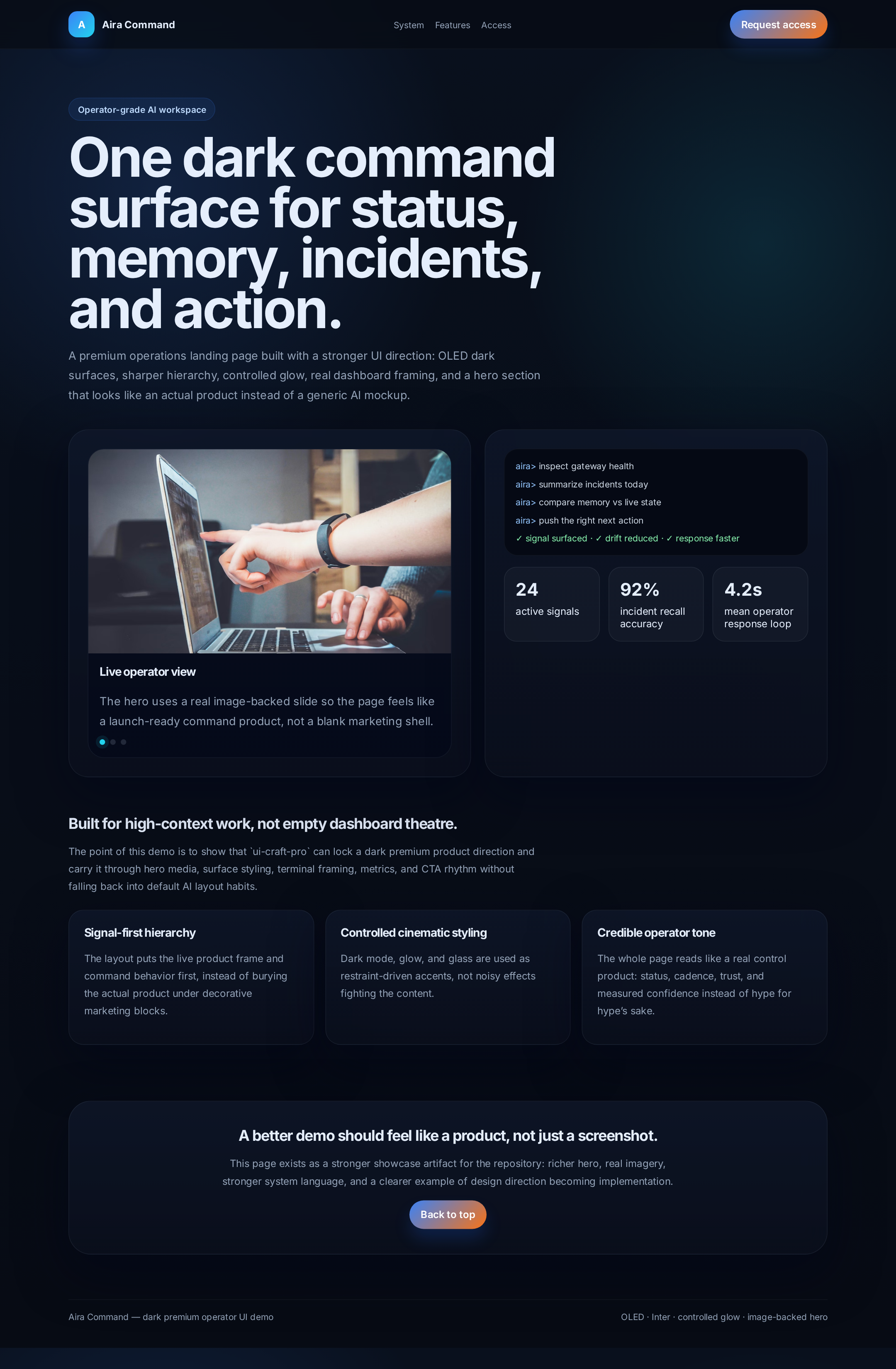
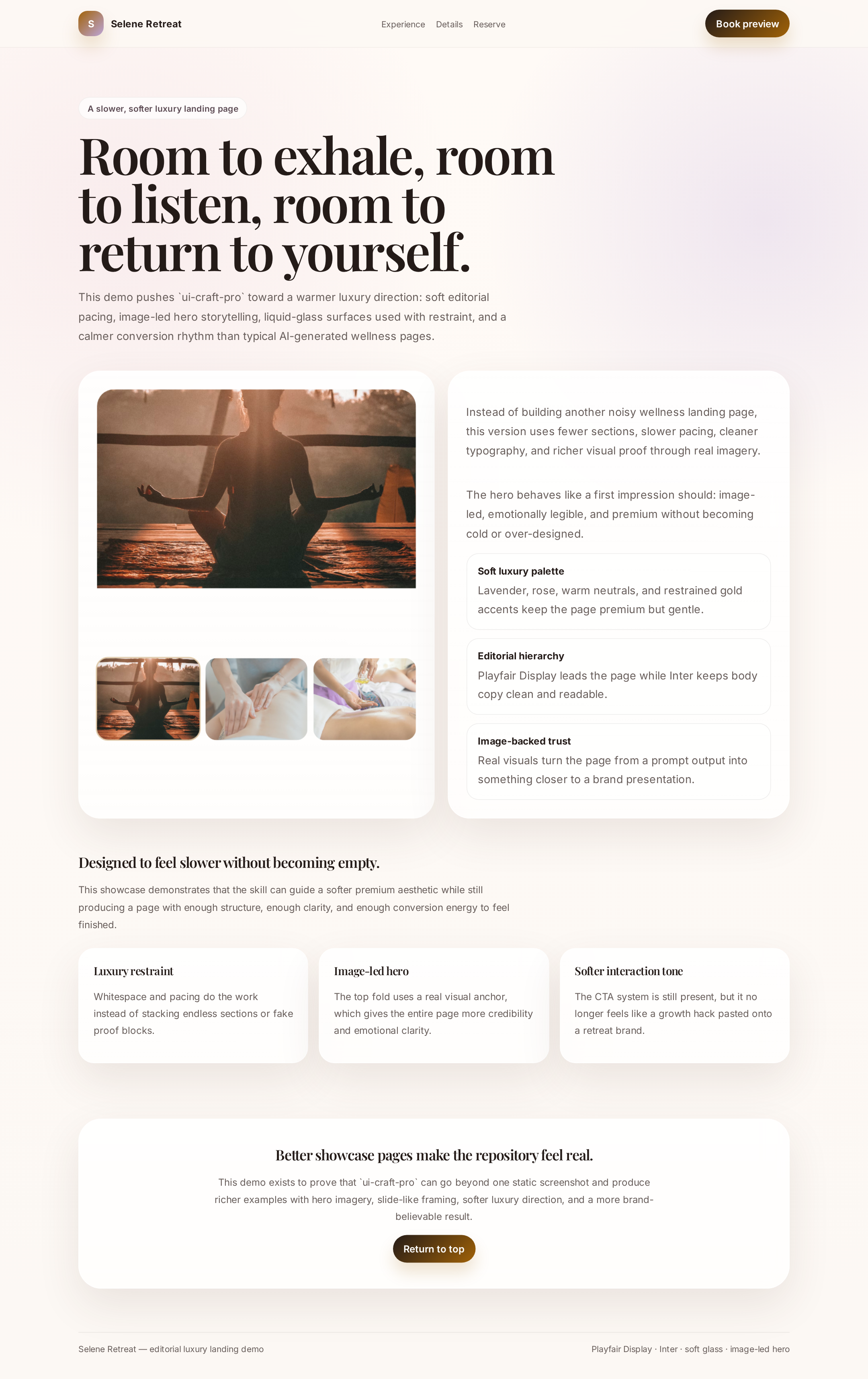
These repo previews show the project’s design-to-implementation lens across darker operator UI, soft editorial luxury, and richer content structures.

Aira Command preview

Aira Command

Darker operator-style UI with stronger hero framing, terminal treatment, dashboard metrics, and premium control-surface energy.

Selene Retreat preview

Selene Retreat

A slower, softer editorial luxury direction with calmer rhythm, selective glass treatment, and more image-led composition.

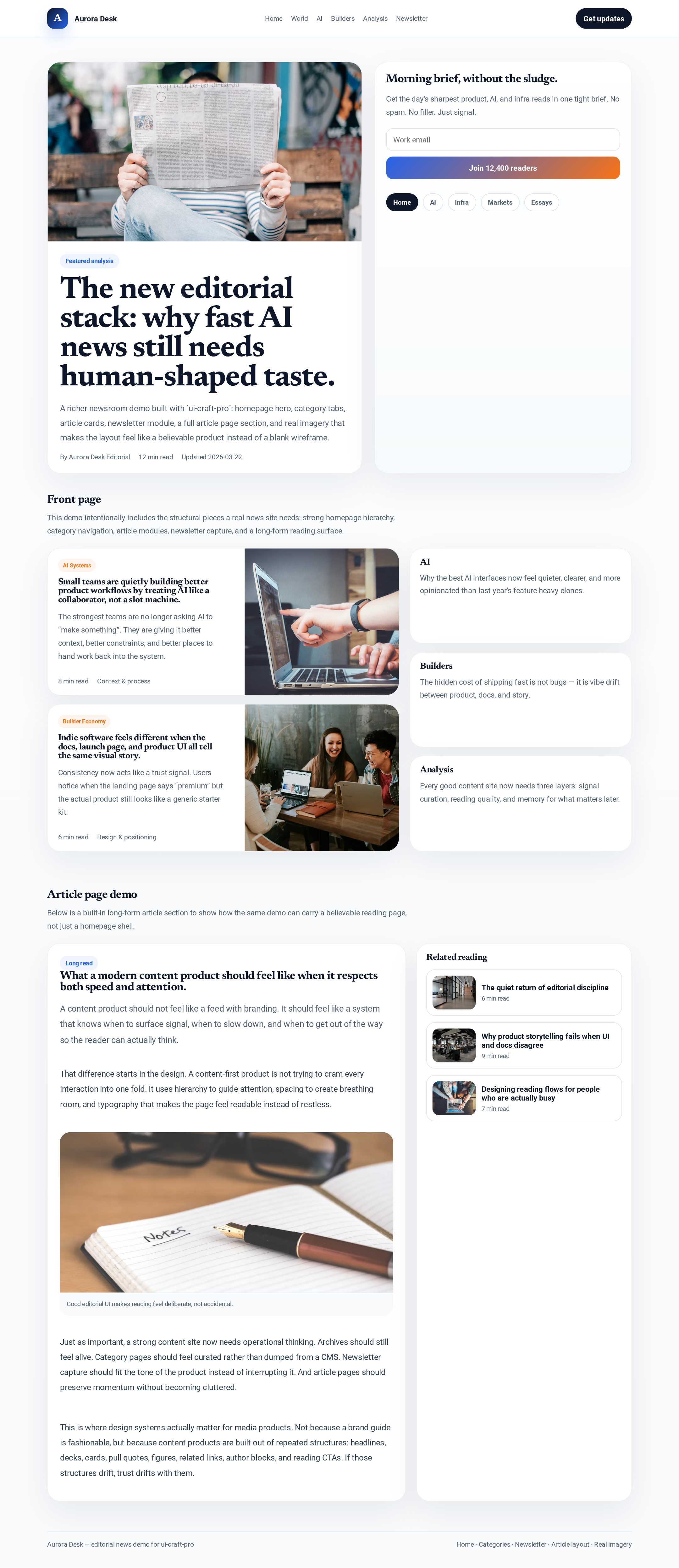
Aurora Desk preview

Aurora Desk

A fuller editorial/news product structure with category navigation, newsletter module, story hierarchy, and richer content framing.

/script> /script> > { if (window.innerWidth <= 768) closeMenu(); }); }); window.addEventListener('resize', () => { if (window.innerWidth > 768) closeMenu(); }); /script>